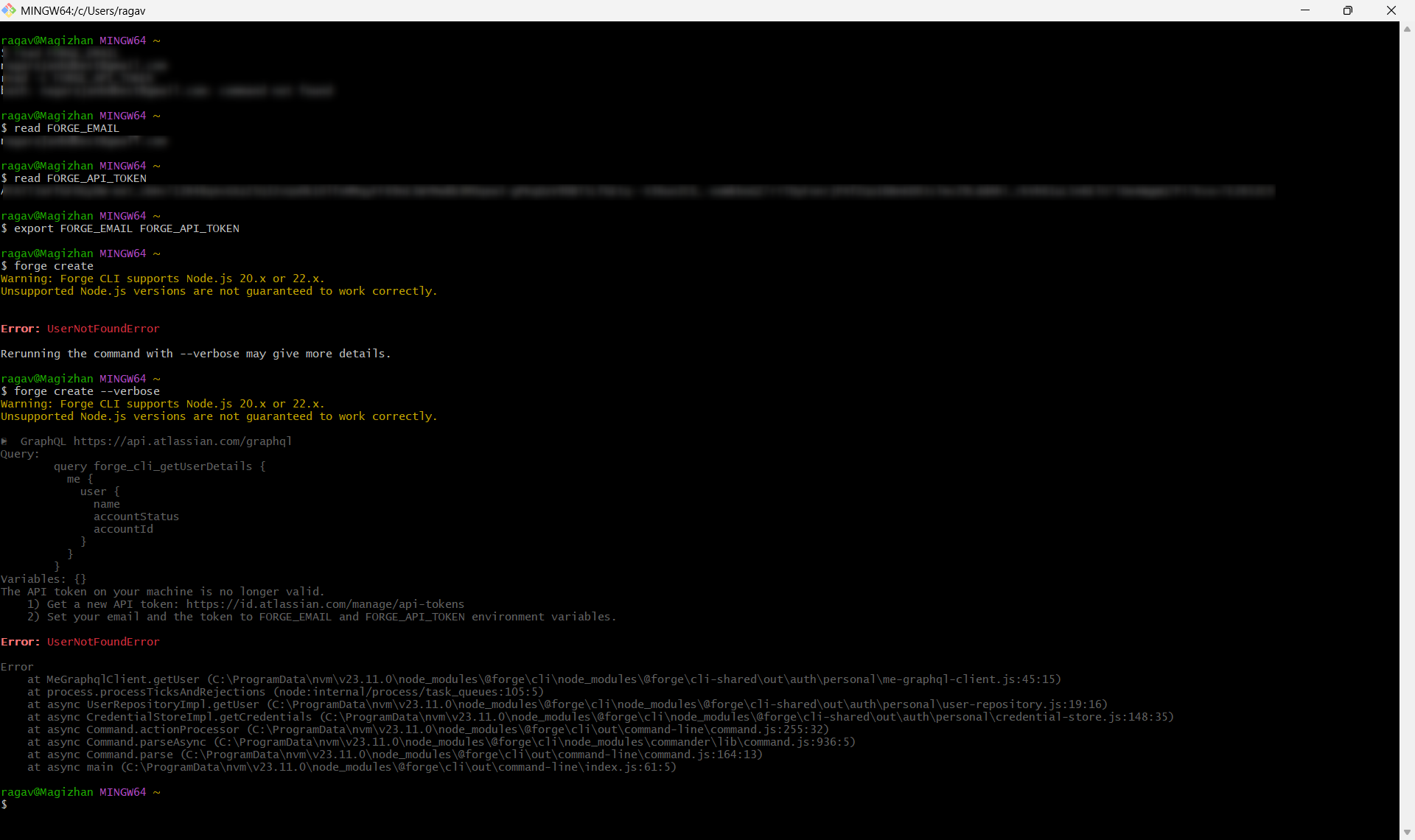
If you are using environment variables instead of the keychain, do not use the forge login command and proceed directly to utilizing other Forge commands.
If you use environment variables to store your credentials, the Forge CLI will use them regardless of whether there are credentials stored in a local keychain.
So I am not using Forge Login, the same has been explained here in details
Is this a newly generated token? Or is it an existing token that used to work before?
How did you generate the token? That is, in Atlassian account page did you select “Create API token” or “Create API token with scopes”?
API tokens with scope are not supported by Forge CLI yet and you’d get a Forge CLI currently does not support API tokens with scopes. To use CLI, create an API token without scopes by selecting Create API token. Support for scoped API tokens will be included in a future release error in that case.
Can you double check if your token has an expiry date?
Can you try with a new token so that we can rule out a copy/paste or typo mistake?
FWIW, I’ve just tested the similar steps with a newly created token (using “Create API token”) and it just worked.
# verify not logged in

$ forge whoami
Error: Not logged in.

# set credentials as env vars and export them

$ read FORGE_EMAIL
<paste email>

$ read FORGE_API_TOKEN
<paste token>

export FORGE_EMAIL FORGE_API_TOKEN

# test with credentials

$ forge whoami
Logged in as Mehmet Atas
Is this a newly generated token? Or is it an existing token that used to work before?
Response: Its newly generated token
How did you generate the token? That is, in [Atlassian account] page did you select “Create API token” or “Create API token with scopes”?
Response: I have selected “Create API token” and generated the token. No scope is involved.
Can you double check if your token has an expiry date?
Response: Yes, checked and i could confirm the expiration date as 22 Jul 2026
Can you try with a new token so that we can rule out a copy/paste or typo mistake?
Response: Tried generating multiple tokens using two of my emails (Two separate Atlassian accounts) but did not work.
Brief background:
Tried this setup first in a corporate machine but to rule out corporate proxy issue made the setup in personal notebook, still didnot work.
To rule out copy paste issues
a. Tried avoiding ctrl+v and used mouse right click while pasting API key.
b. Given read FORGE_API_TOKEN instead of read -s FORGE_API_TOKEN
to visually check each character after pasting the same in Terminal
To rule out access related issue / account related issue created one more Atlassian account using my alternative id and generated API key even with that, but still the same outcome.
To rule out command prompt and copy paste issue (Windows machine), tried the same with VS code Terminal, command prompt, Windows Power shell, MINGW64
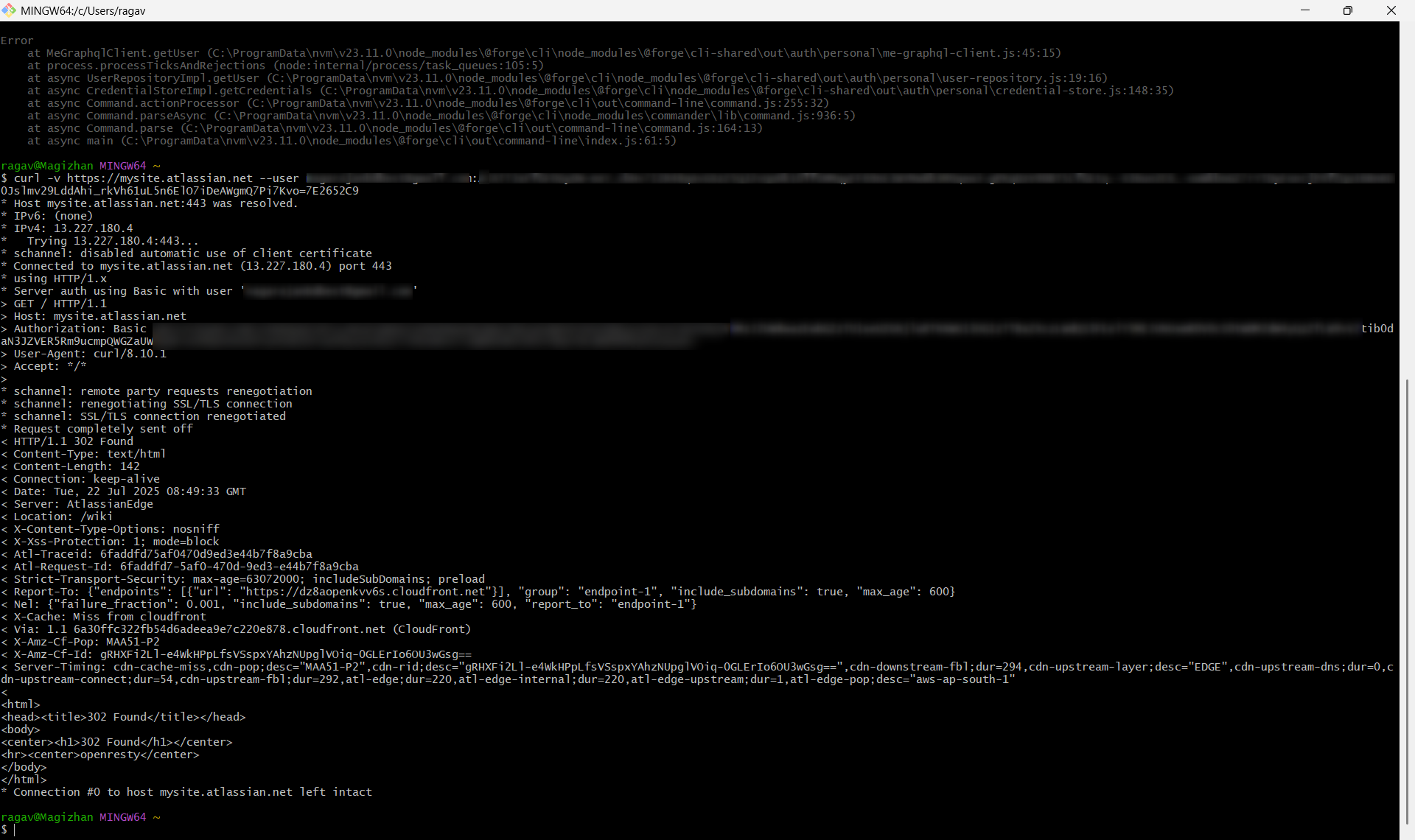
To rule out API key’s access tried CURL with API key and confirmed that API Key was accessed using “Last accessed” field in [Atlassian account]
Thanks for detailed reply. I’ve tried to reproduce the Error: UserNotFoundError error and I got this error when I;
Provided a wrong email address
Provided a wrong token
Deleted the token
This is going to be a long shot but when you log into your Atlassian account what email address do you see when you click on your profile image at the top right? Can you make sure it is the same email address used for FORGE_EMAIL?
Can you also try
forge login without setting environment variables and input your email and token when asked.
forge login -u <email> -t <token> again without setting environment variables.
FORGE_EMAIL - it’s the same email and its corresponding API key that I am using still having this issue.
forge login without setting environment variables and input your email and token when asked. forge login -e <email> -t <token> again without setting environment variables
Tried these steps already and tried again now, still having challenge in logging.
Thanks for the reply and I understand the frustration you might have. I’m afraid we won’t be able to solve your case on our Developer Community and I recommend you to get in touch with our support team who can have a closer look at your case.